


Talk & Translate AI Translator
4.6728.00 Reviews
App Specs
- Version
- 14.5.836
- Updated On
- License
- Free
- Downloads
- 5,000,000+
- Developer
- MobiSystems
- Categories
- Books & Reference
- Platform
- Android, iOS
Screenshots
 Analysis by AppCompare
I find a translator most useful when it fits the moment rather than asking me to reorganize what I am doing around it. A quick spoken question, a phrase on a sign, or a message I need to understand can each call for a different approach. That is the practical promise behind Talk & Translate AI Translator: it brings voice, text, and photo translation together, with support for more than 100 languages. The key question for me is not simply how many languages it covers, but whether I can use the right kind of translation when I need it—and how much I can rely on a connection being available.
When a connection changes the conversation
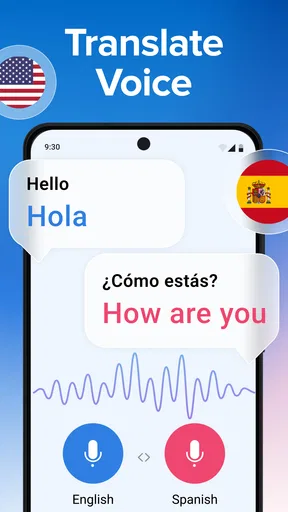
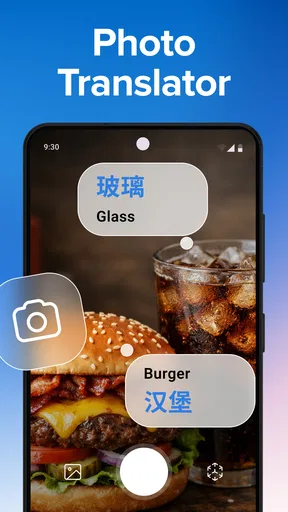
Voice translation is appealing because it can make a short exchange feel less like passing a phone back and forth to type. In a shop, for example, I can imagine using speech for a simple question, then switching to text if the room is loud or the other person would rather read. Photo translation offers another route when the words are printed rather than spoken. Having these options in one app is useful, but the experience still depends on the conditions around me: a clear voice, a readable image, and a working connection where the translation needs one.
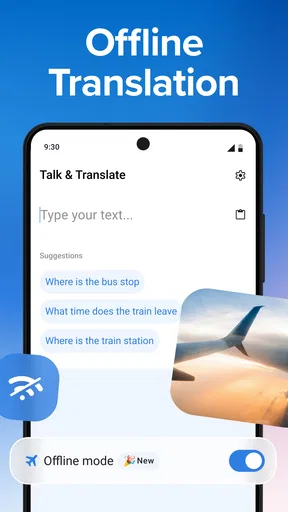
The app’s store summary mentions offline translation, but I would treat that as something to check for the languages and tools I plan to use before relying on it during a trip. Offline availability can matter most when a connection is weak or expensive, and it is better to prepare than to discover a limitation at a station or hotel desk. I would test the relevant language pair in advance, including the kind of input I expect to use, rather than assume that every language and translation mode behaves identically without internet access.
Using it while moving around
A phone translator has to work in real situations, not just at a desk. If I am outdoors, carrying bags, or trying to keep a conversation moving, fewer taps matter. I would set the languages before approaching someone and keep a short question ready, instead of starting from scratch while the other person waits. For a longer discussion, I would slow down and use short sentences; that gives both the recognition and the translation less ambiguity to handle.
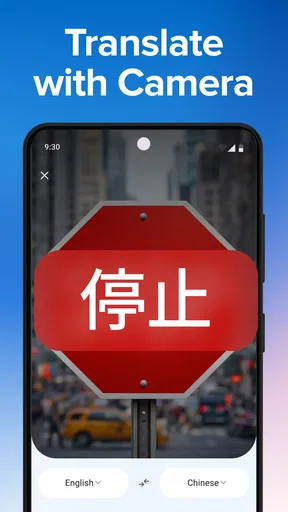
For printed information, a photo can be more practical than typing unfamiliar spelling, but the surroundings still matter. Glare, cramped lettering, or a moving scene can make a picture harder to interpret. I would take a steady image in good light and check the translated result against the context rather than treating it as a perfect substitute for the original. A sign that gives a general direction is one thing; a formal notice or safety instruction deserves extra care.
If the app does not respond as expected
Translation is a two-step conversation: the app has to hear or read the source correctly, then express it clearly in another language. If a spoken result seems odd, I would repeat the phrase more slowly and use simpler wording before blaming the translation itself. Names, street addresses, slang, and phrases with several meanings are especially easy to misread. Switching to typed text can help when speech recognition is struggling, while speaking a sentence aloud can be quicker than entering it when the wording is straightforward.
I also would not let a smooth interface encourage me to treat every result as authoritative. For an important medical, legal, or financial exchange, I would ask for clarification, show the original wording, or seek a qualified interpreter where possible. A translation app can help open a conversation; it cannot guarantee that a subtle distinction has survived every step. That is a sensible boundary for any instant translator, including one that feels fast and convenient.
Worth Reading Before You Choose

Flipboard Shows What News Apps Must Do Beyond the Feed

Switching to Android Auto Means Rethinking Your Driving Routine

Google Calendar Makes a Crowded Week Easier to Manage

Ludo King Makes the Most of the Minutes Between Plans

Baby Panda World Brings Quick Play to Modern Phones, but Its Game Library Feels Busy

ESPN’s Live Game View Makes Following Close Games Easier
What I would prepare before relying on it
Before a trip, I would check the language pair I need and try the app in the same way I expect to use it: a spoken request, a typed phrase, or a photo. I would also think through what happens if mobile data is unavailable, since travel often means changing networks or entering buildings with poor reception. The store summary describes offline use, but checking the practical setup beforehand is still a better plan than depending on an untested workflow.
For data-conscious use, I would keep sensitive details out of casual translation requests unless I was comfortable entering them into an app. A phrase about ordering food is different from a passport number, account detail, or private message. I would also avoid sending more context than the translation needs. This is not a special drawback unique to this app; it is a useful habit whenever a phone service handles personal text or speech.
Against a basic dictionary, Talk & Translate is more convenient for a spoken exchange or a photo, while a dictionary can be better when I want to inspect a word’s meaning carefully. Compared with typing into a general-purpose translator, its voice-oriented approach may save effort in a quick conversation, but typed translation remains the safer fallback when pronunciation or background noise gets in the way. I would choose based on the task rather than expect one tool to replace every language resource.
How it fits into everyday use
Ever been stuck in a situation where language barriers make communication a complete nightmare? I know I have, and that's where Talk & Translate AI Translator comes into play. It’s like having your own personal interpreter in your pocket, and trust me, it's a game-changer.
First Impressions
When I first downloaded Talk & Translate AI Translator, I wasn’t expecting much beyond the usual translation apps. But boy, was I in for a surprise! The interface is sleek and intuitive, making it super easy to navigate even for someone who's not tech-savvy. Within minutes, I was translating phrases across multiple languages without a hitch.
Features That Wow
One of the standout features of this app is its impressive language library. With over 100 languages supported, you’re pretty much covered no matter where you are in the world. Whether you’re trying to impress someone with your French or need help ordering sushi in Japanese, this app has got your back.
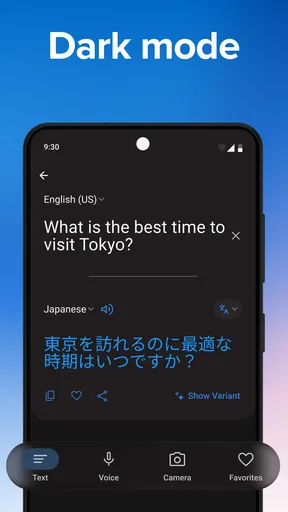
Let’s talk about the real-time voice translation. This is where the app truly shines. Imagine having a conversation with someone who speaks a different language, and the app translates in real-time as you speak. It’s almost like magic. The accuracy is remarkable, and the delay is minimal, making conversations smooth and natural.
User Experience
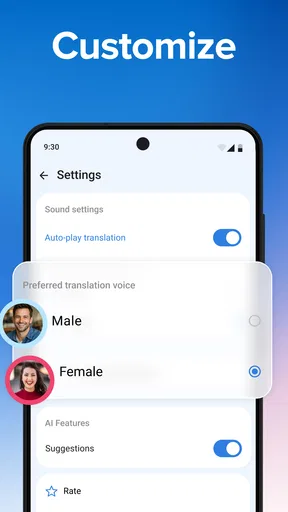
I’ve used other translation apps before, but the ease of use here is unbeatable. You don’t have to fumble around with complicated settings. Just open the app, select your languages, and you’re good to go. The voice recognition feature is quite accurate, which is a big plus for those of us with thick accents or who tend to mumble.
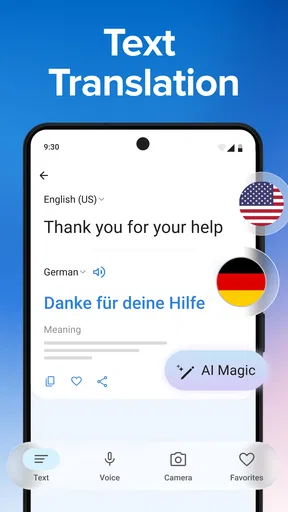
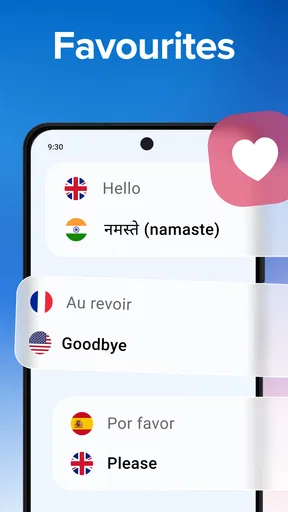
Another neat feature is the ability to save frequently used phrases. This is super handy if you’re traveling and need to ask for directions repeatedly or want to learn key phrases in a new language. The app also offers text translation, which is just as efficient as its voice counterpart.
Performance and Reliability
No app is perfect, but Talk & Translate AI Translator comes pretty close. I’ve tested it in different environments—noisy cafes, quiet rooms, and even outdoors—and it performs consistently well. The app is quick to respond and doesn’t lag, which is crucial when you’re trying to communicate swiftly.
There’s also an offline mode, which is a lifesaver if you’re in an area with poor internet connectivity. You can download language packs in advance, ensuring you’re never left in the lurch.
Who Will Love This App?
Honestly, anyone who travels or interacts with people from different linguistic backgrounds will find this app invaluable. It’s perfect for tourists, business travelers, or even students learning a new language. Plus, it’s a fun tool if you want to impress your friends with your newfound multilingual skills.
It is less suited to someone who needs a carefully checked translation for work, formal documents, or a high-stakes conversation. I would also look elsewhere if my main goal were structured language study: instant translation can help me understand or communicate, but it is not the same as lessons that explain grammar and build vocabulary over time. For casual travel, everyday questions, and quick exchanges, its mix of input methods makes more sense.
Cost, compatibility, and expectations
The app is free to install, with in-app purchases ranging from $3.99 to $39.99 per item. I would start with the free experience and decide whether any paid option addresses a real need, rather than paying before I know which language pairs or tools I will use regularly. It is rated for Everyone, and it comes from MobiSystems, a developer with a familiar presence in mobile productivity and reference software.
On Android, the current version is 14.3.817 and the minimum operating system requirement is Android 8.0. Its average rating is 4.6 from around 13,000 ratings, and it has more than 5 million installs. Those figures suggest that it has found a broad audience, though they do not tell me whether a particular accent, noisy setting, or less familiar language pair will suit my needs. I would still test the exact situation that matters to me.
Final Thoughts
In a world that's increasingly connected yet divided by language, Talk & Translate AI Translator bridges the gap seamlessly. It’s a reliable companion for anyone needing quick and accurate translations. Whether you’re navigating the bustling streets of Tokyo or simply trying to communicate with your international friends, this app is a must-have on your device.
So, if you’re looking for a translation app that’s easy to use, packed with features, and incredibly reliable, give Talk & Translate AI Translator a try. You won’t regret it!
My practical verdict is more measured: I would keep it handy for everyday communication, but I would prepare the language setup before travelling and carry a fallback for moments when a connection or recognition gets in the way. Its strongest case is flexibility—voice, text, and photos can each suit a different situation. If you mainly need careful word study, formal translation, or guaranteed performance in a critical exchange, a dictionary, specialist service, or human interpreter is the better choice. For ordinary travel friction and quick conversations, it is a useful tool to have within reach.
Pros
- Supports multiple languages efficiently.
- User-friendly interface and design.
- Fast translation response time.
- Offline mode available for basic phrases.
- Accurate voice recognition capabilities.
Cons
- Limited offline language support.
- Ads can be intrusive at times.
- Requires internet for advanced features.
- Occasional minor translation errors.
- Subscription needed for premium features.
FAQs for Talk & Translate AI Translator
How accurate is the Talk & Translate AI Translator?
Talk & Translate AI Translator utilizes advanced AI algorithms to provide highly accurate translations in real-time. While it handles most common phrases and languages with precision, users should be aware that complex language nuances or idiomatic expressions might not always translate perfectly. Regular updates aim to improve accuracy continually.
What languages does Talk & Translate AI Translator support?
Talk & Translate AI Translator supports a wide array of languages, covering major global languages such as English, Spanish, French, Chinese, and many more. The app frequently updates its database to include new languages and dialects, making it versatile for international communication. Check the app’s language list for the most recent additions.
Does Talk & Translate AI Translator work offline?
The app primarily requires an internet connection to access its full range of features and ensure the most accurate translations. However, users can download specific language packs for offline use, which might limit some functionalities but still allow basic translation tasks when connectivity is unavailable.
Is Talk & Translate AI Translator user-friendly for beginners?
Talk & Translate AI Translator is designed with an intuitive interface, making it accessible for users of all experience levels. The app provides clear instructions and a simple layout, ensuring that even those unfamiliar with translation apps can navigate it with ease. Tutorials and support are available for additional assistance.
Are there any subscription fees for using Talk & Translate AI Translator?
The basic version of Talk & Translate AI Translator is free, offering essential translation features. For users who require advanced functionalities, such as voice translation or ad-free experience, a subscription is available. Pricing varies, and users should review the app store for current subscription details and options.


